
Async Code in Node.js: Callbacks and Promises
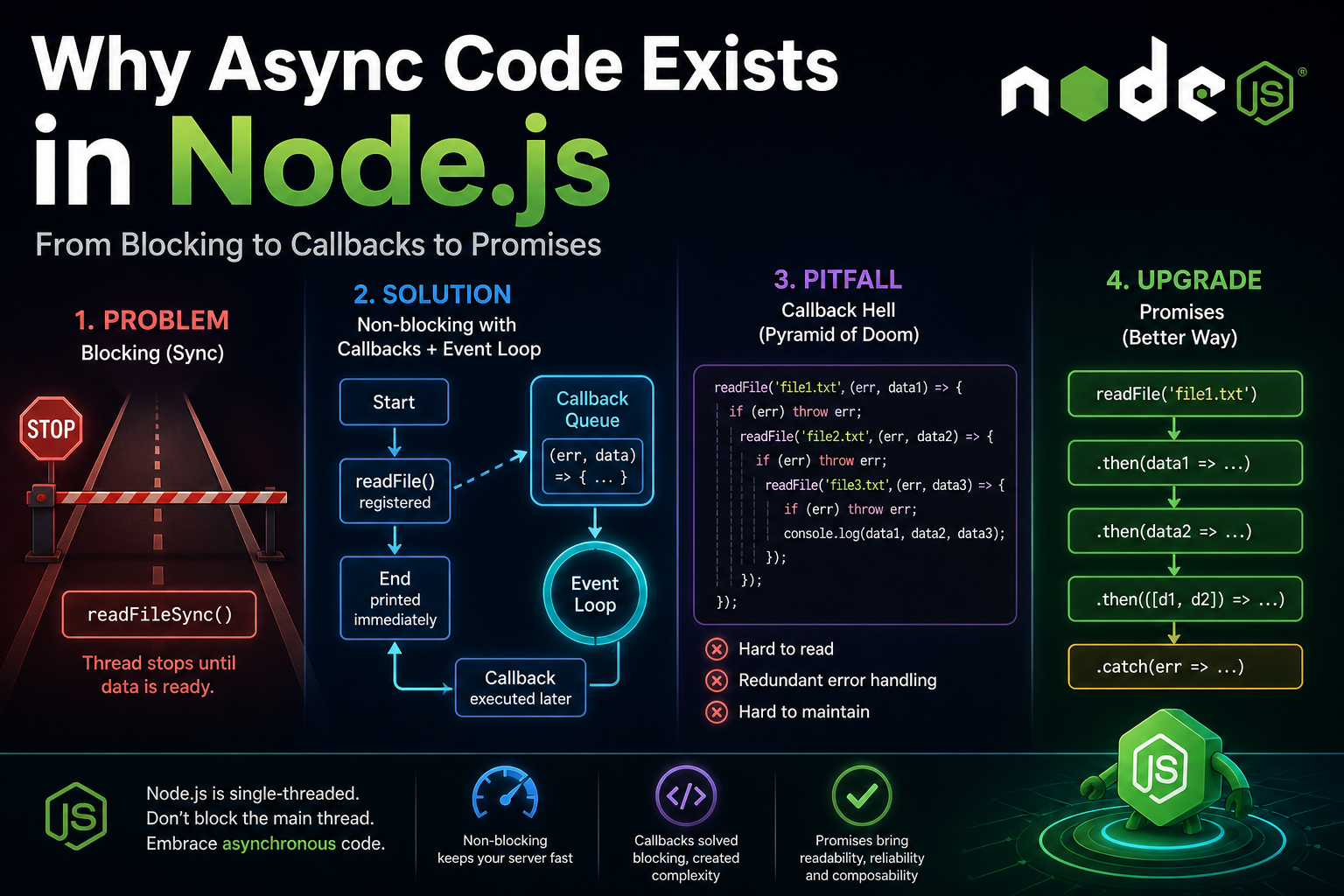
Node.js is famously single-threaded. That design choice makes it incredibly efficient, but it also introduces a massive vulnerability: if you block the main thread, you block the entire server.
To understand how modern JavaScript handles asynchronous operations, we need to look at how we got here. Let's trace the evolution of asynchronous JavaScript, starting with what happens when we do things the wrong way.
1. The Problem: Synchronous Blocking
Look at this standard, synchronous file read:
const fs = require('fs');

console.log('Start');

const data = fs.readFileSync('file.txt', 'utf-8');
console.log(data);

console.log('End');
The Execution Flow:
Prints
Start.Halts execution entirely while
readFileSyncgoes to the disk to getfile.txt.Prints the file
data.Prints
End.
If this file takes 2 seconds to read, your server is essentially frozen for 2 seconds. No other users can connect, no other requests are processed, and nothing else executes. In a single-threaded environment, I/O operations (like reading a file, querying a database, or making a network request) are slow. Blocking the thread for them is a fatal bottleneck.
2. The Solution: Callbacks and the Event Loop
To fix this, Node.js uses asynchronous, non-blocking I/O. Instead of halting the program to wait for a file, Node offloads the work and says, "Call this function when you're done."
const fs = require('fs');

console.log('Start');

fs.readFile('file.txt', 'utf-8', (err, data) => {
  if (err) throw err;
  console.log(data);
});

console.log('End');
The Console Output:
Start
End
<file data>
What just happened?
Startis printed.fs.readFileis called. Node registers the callback function and immediately moves on.Endis printed.Once the disk finishes reading the file, the callback is pushed to the Callback Queue.
The Event Loop sees the main thread is empty, picks up the callback, and executes it, printing the data.
3. The Pitfall: Callback Hell
Callbacks solved the blocking problem, but they created a new one: code structure. If you need to perform sequential asynchronous tasks—like reading three files in a specific order—you have to nest them.
fs.readFile('file1.txt', 'utf-8', (err, data1) => {
  if (err) throw err;

  fs.readFile('file2.txt', 'utf-8', (err, data2) => {
    if (err) throw err;

    fs.readFile('file3.txt', 'utf-8', (err, data3) => {
      if (err) throw err;

      console.log(data1, data2, data3);
    });
  });
});
This is the infamous Callback Hell (or the Pyramid of Doom). The problem isn't just the ugly, staircase-like indentation. The real issues are:
Readability: Logic flow is visually tangled.
Error Handling: Notice the repetitive
if (err) throw err;. You have to handle errors at every single level, making it incredibly easy to miss a failure state.Maintainability: Refactoring or adding a step in the middle of this chain is a nightmare.
4. The Upgrade: Promises
To clean up asynchronous logic, ES6 introduced Promises. A Promise is exactly what it sounds like: an object that represents the future eventual completion (or failure) of an asynchronous operation.
Instead of passing a callback into a function, the function returns a Promise object, to which you attach callbacks using .then() and .catch().
const fs = require('fs').promises;

console.log('Start');

fs.readFile('file1.txt', 'utf-8')
  .then(data1 => fs.readFile('file2.txt', 'utf-8')
    .then(data2 => [data1, data2]) // Nesting slightly to carry data1 forward
  )
  .then(([data1, data2]) => {
    console.log(data1, data2);
  })
  .catch(err => console.error(err));

console.log('End');
Why this is better:
Flat Structure: We escape the pyramid. Chaining
.then()allows asynchronous code to read top-to-bottom, much like synchronous code.Centralized Error Handling: We don't need
if (err)everywhere. A single.catch()at the end of the chain will catch an error thrown by any of the preceding Promises.Composability: Promises are first-class values. You can pass them around, return them from functions, and combine them (e.g.,
Promise.all).


