
Blocking vs Non-Blocking Code in Node.js
What is Blocking Code?
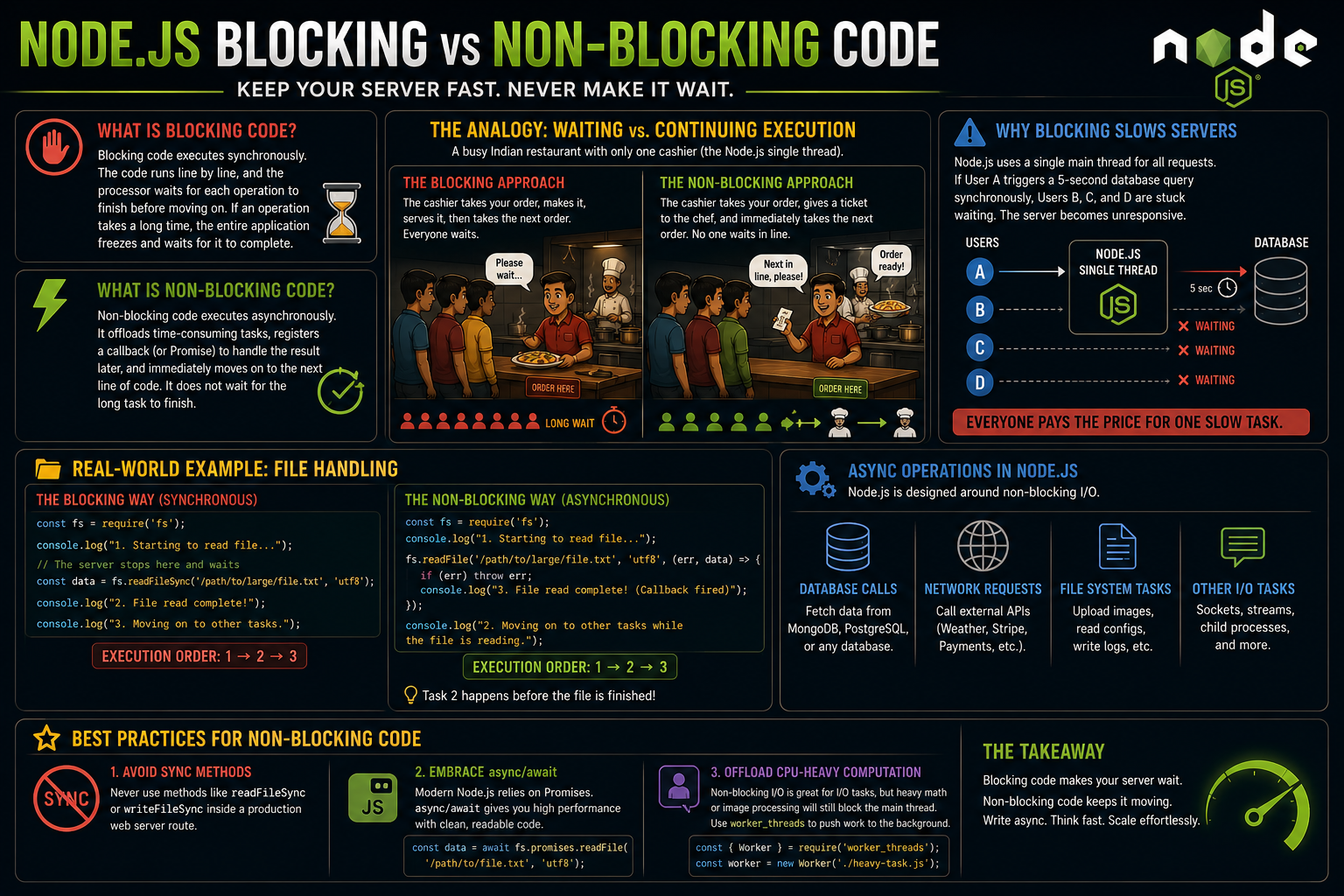
Blocking code executes synchronously. This means the code runs line by line, and the processor waits for each operation to finish before moving on to the next one. If an operation takes a long time, the entire application freezes and waits for it to complete.
What is Non-Blocking Code?
Non-blocking code executes asynchronously. When the program encounters an operation that takes time, it offloads that task (to the operating system or a worker thread), registers a "callback" (or Promise) to handle the result later, and immediately moves on to the next line of code. It does not wait for the long task to finish.
The Analogy: Waiting vs. Continuing Execution
Think of a busy indian restaurant with only one cashier (the Node.js single thread).
The Blocking Approach: You order a big veg punjabi thali. The cashier takes your order, turns around, makes the order, puts the vegetables and breads in it, hands it to you, and then takes the order of the next person in line. If the line is 100 people long, the 100th person is going to wait a massive amount of time just to order.
The Non-Blocking Approach: You order your thali. The cashier takes your order, passes a ticket to a chef in the back, and immediately says, "Next in line, please!" When your thali is ready, the chef calls your name. The cashier never stopped taking orders.
Why Blocking Slows Servers
Because Node.js uses a single main thread for all incoming requests, a blocking operation halts the entire server. If User A triggers a database query that takes 5 seconds to run synchronously, Users B, C, and D cannot even load the homepage during those 5 seconds. The server becomes completely unresponsive to everyone else.
Real-World Example: File Handling
Let's look at how this plays out in code using the Node.js File System (fs) module.
The Blocking Way (Synchronous)
const fs = require('fs');

console.log("1. Starting to read file...");

// The server stops here and waits until the whole file is read
const data = fs.readFileSync('/path/to/large/file.txt', 'utf8');
console.log("2. File read complete!");

console.log("3. Moving on to other tasks.");
Execution Order: 1, 2, 3.
The Non-Blocking Way (Asynchronous)
const fs = require('fs');

console.log("1. Starting to read file...");

// The server offloads the reading task and immediately moves on
fs.readFile('/path/to/large/file.txt', 'utf8', (err, data) => {
    if (err) throw err;
    console.log("3. File read complete! (Callback fired)");
});

console.log("2. Moving on to other tasks while the file is reading.");
Execution Order: 1, 2, 3. (Notice how task 2 happens before the file is finished).
Async Operations in Node.js
Node.js is designed around non-blocking I/O. Most real-world operations should be handled asynchronously to keep the server fast:
Database Calls: Fetching user data from MongoDB or PostgreSQL.
Network Requests: Calling external APIs (like fetching weather data or processing a Stripe payment).
File System Tasks: Uploading images, reading configuration files, or writing logs.
Best Practices for Non-Blocking Code
To keep your Node.js servers blazing fast, keep these three habits in mind:
Avoid
Syncmethods: Never use methods likereadFileSyncorwriteFileSyncinside a production web server route.Embrace
async/await: Modern Node.js relies heavily on Promises. Usingasync/awaitgives you the high performance of non-blocking code paired with the clean readability of blocking code.Offload CPU-heavy computation: Non-blocking I/O is great for databases and files, but heavy math or image processing will still block the main thread. For those tasks, utilize Node's
worker_threadsto push the work to the background.


